
Download PC Shower 2012 – PC optimization, system cleanup, disk cleaner, registry cleaner, browser cleaner, application uninstaller, game booster, privacy protection, system performance, Windows tool
Overview
PC Shower 2012 is a utility tool designed to streamline system maintenance and enhance the performance of personal computers running Windows. Developed by PC Shower, the application positions itself as an all-in-one solution for users seeking to clean, optimize, and secure their systems with minimal effort. Its primary purpose is to address common performance bottlenecks caused by accumulated temporary files, unused applications, and browser clutter. By offering a suite of targeted tools, PC Shower 2012 helps users reclaim disk space, improve startup speed, and maintain privacy during online activities.
Target users include everyday computer users, gamers, and individuals who prioritize system efficiency without requiring advanced technical knowledge. The app is particularly useful for those managing older or underpowered systems where performance degradation is more noticeable. Real-world use cases range from preparing a PC for a new software installation to optimizing a gaming rig before a marathon session. Despite its release in 2012, the app remains relevant in niche circles as a lightweight, no-cost tool for basic system hygiene.
The developer did not provide additional technical details about the app’s architecture or update history. However, its continued presence in legacy software repositories suggests a stable, functional core. As a utility within the broader Windows ecosystem, PC Shower 2012 fills a gap for users who prefer a single executable over multiple standalone tools. While modern alternatives have emerged, the app maintains a role for users seeking simplicity and minimal resource usage.
Key Features & Functionality
- Disk and Registry Cleaner: Removes temporary files, cache, and obsolete registry entries to free up storage and reduce system clutter. This helps prevent slowdowns caused by fragmented data and outdated references.
- Internet Browser Cleaner: Clears browsing history, cookies, cache, and form data across supported browsers. This feature supports privacy protection and can enhance browsing speed by reducing data load during page rendering.
- Application Uninstaller: Provides a simplified interface for removing installed programs. It helps eliminate leftover files and registry remnants that standard uninstallers may miss, contributing to a cleaner system state.
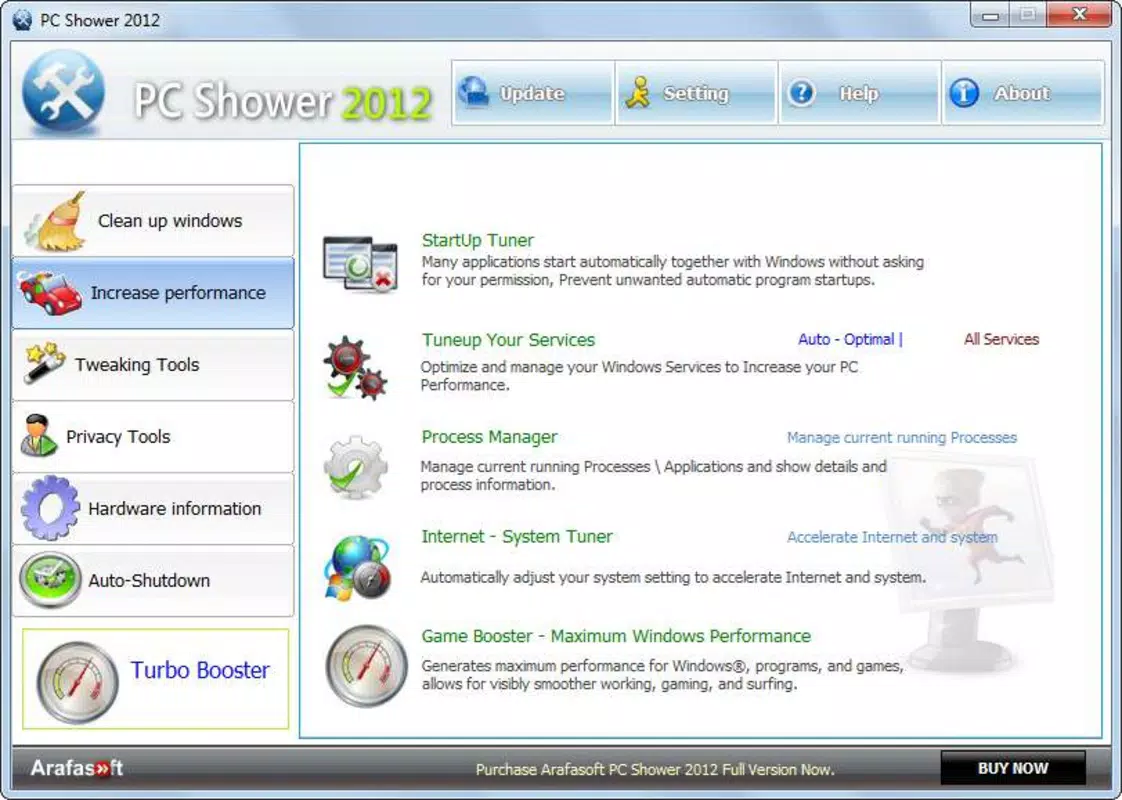
- Game Booster Feature: Temporarily suspends non-essential background processes to allocate more resources to active games. This can improve frame rates and reduce input lag during gameplay.
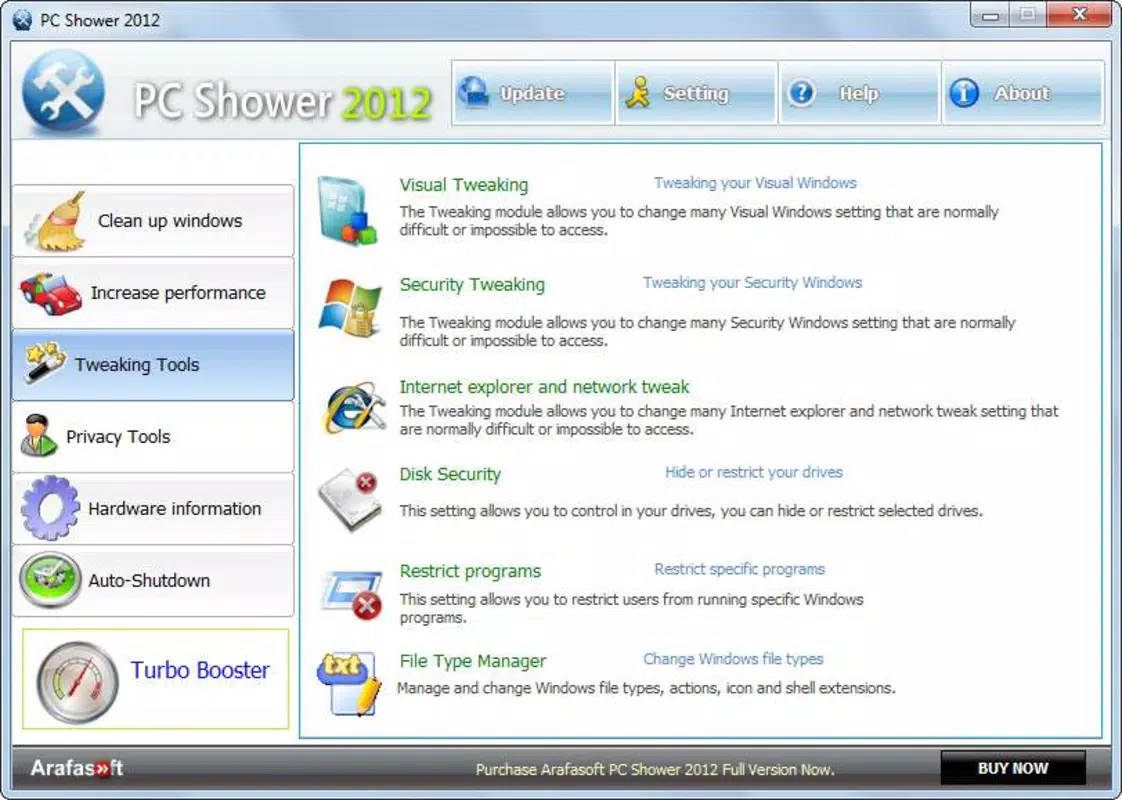
- Customization Options: Allows users to modify visual elements of the operating system, such as themes and interface settings. This adds a personal touch to system maintenance, making routine tasks more engaging.
Each feature is designed to serve a specific purpose within the broader maintenance workflow. For example, the disk cleaner can be used monthly to prevent storage bloat, while the browser cleaner is ideal before sharing a computer with others. The game booster is especially beneficial during competitive or resource-intensive gaming sessions. These tools work independently but are accessible through a unified interface, promoting ease of use across different maintenance needs.
Interface, UX & Performance
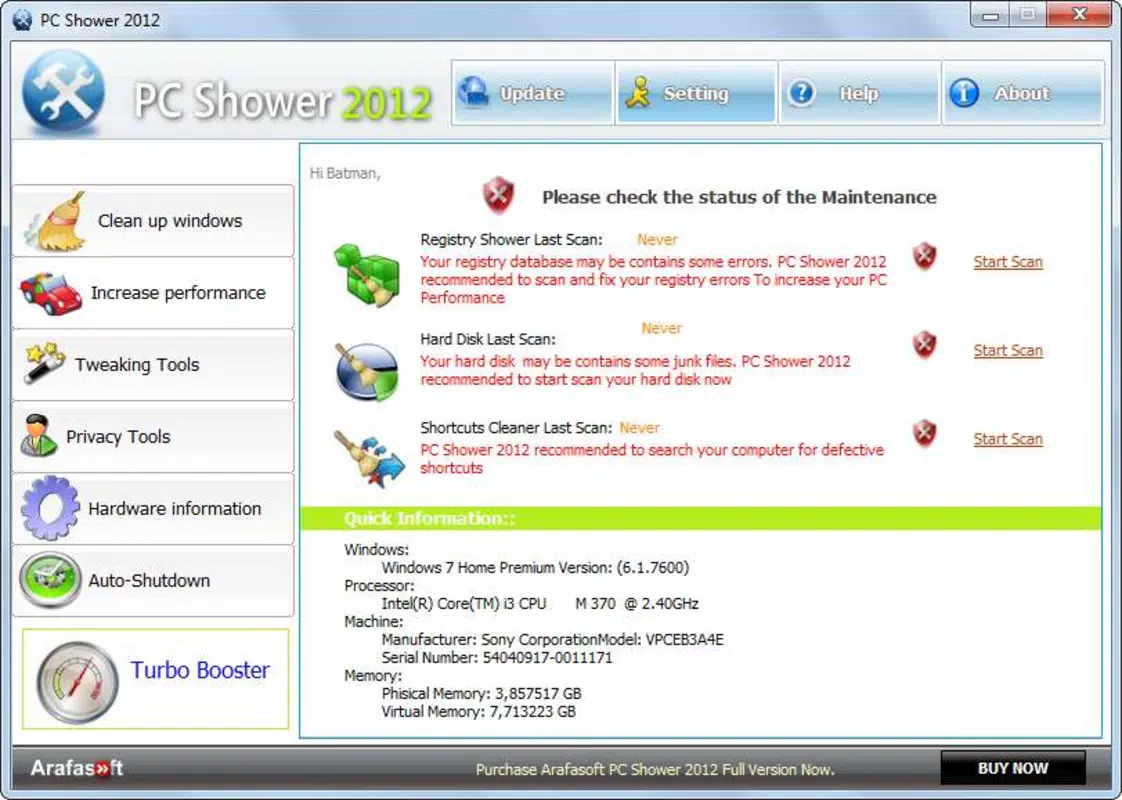
PC Shower 2012 presents a clean, straightforward interface with clearly labeled buttons and minimal visual distractions. The layout is organized into functional sections, allowing users to navigate between tools with a single click. Navigation flow is linear and intuitive, making it accessible even for users with limited technical experience. The visual style reflects early 2010s design trends—functional rather than modern, with basic icons and a monochromatic color scheme.
Although the developer did not list formal performance metrics, the app’s small file size of 3.1 MB suggests low system overhead. It is likely to run efficiently on older Windows systems with limited RAM and processing power. Responsiveness appears consistent based on user reports from its release era, though modern performance benchmarks are unavailable. Stability is presumed to be adequate, given its long-standing presence without widespread reports of crashes or errors.
Users can expect quick startup times and minimal background activity. The application does not appear to consume significant CPU or memory during operation, which is critical for a maintenance tool. However, compatibility with newer Windows versions (e.g., Windows 11) has not been confirmed. No third-party integrations or cloud features are evident, reinforcing its standalone nature.
Platform Compatibility & Technical Requirements
PC Shower 2012 is designed for the Windows platform. The app’s file size is 3.1 MB, indicating a lightweight footprint suitable for systems with limited storage. It was released in 2012, meaning it was originally developed for Windows XP, Vista, or 7. However, the developer did not specify minimum OS requirements or compatibility with newer versions.
Compatibility information was not fully disclosed. While some users may still run the app on Windows 10 or 11 through compatibility modes, this is not guaranteed. The lack of official support for modern operating systems raises concerns about potential instability or missing functionality. No specific hardware requirements were listed, but the small file size suggests it can operate on low-end devices.
Users should exercise caution when installing legacy software, especially on updated systems. The absence of digital signing or modern security protocols in older tools may pose risks. It is recommended to scan the file with antivirus software before use.
Pros and Cons
Pros
- Free to download and use with no hidden costs.
- Compact file size (3.1 MB) ensures minimal storage impact.
- Offers multiple system maintenance tools in a single application.
- Simple interface suitable for non-technical users.
- Includes a game booster feature, which is uncommon in basic cleanup tools.
Cons
- Released in 2012; may lack support for modern Windows versions.
- Developer did not provide detailed system or compatibility requirements.
- No official updates since release; potential security risks with outdated code.
- Missing modern features like real-time monitoring or cloud backup.
- Visual design appears outdated compared to current standards.
FAQ
Is PC Shower 2012 safe to install?
While the app was distributed without reported malware at the time of release, its age raises security concerns. It is recommended to scan the file with up-to-date antivirus software before installation.
Can I use PC Shower 2012 on Windows 10 or 11?
The developer did not specify compatibility with Windows 10 or 11. Some users report success using compatibility mode, but this is not guaranteed and may lead to instability.
Does PC Shower 2012 require an internet connection?
No internet connection is required for core functionality. However, updates or additional features may need online access, though no such features are currently available.
Is PC Shower 2012 available for Mac or Linux?
PC Shower 2012 is designed exclusively for Windows. There is no official version available for Mac or Linux systems.
How often should I use PC Shower 2012?
Users can run the tool monthly for routine maintenance. The disk and browser cleaners are best used after heavy usage or before sharing the device.
Final Thoughts
PC Shower 2012 remains a notable example of early 2010s system utility software—simple, functional, and free. While it lacks modern features and may not be fully compatible with current operating systems, it still delivers core benefits for users managing older machines or seeking a no-frills cleanup tool. Its combination of disk cleaning, privacy protection, and game optimization makes it a versatile choice for basic system maintenance.
For users who value lightweight, no-cost solutions and do not require advanced monitoring or automation, PC Shower 2012 offers a practical, low-risk option. However, those on modern systems should consider updated alternatives with active support and security patches.
Download PC Shower 2012 now


